

Connect a Jira Cloud site
- Sign in to Commit+.
- Open Settings → Integrations and find Jira.
- Click Connect Jira….
- Enter your site (for example
your-site.atlassian.net), your Atlassian account email, and an API token. Use Create an API token… to open the Atlassian token page. - Commit+ checks the token with Jira before saving the connection.
Browse your issues
Select Jira in the sidebar’s Workspace section. The list shows issues assigned to you, most recently updated first. If the item is hidden, turn it on from the Workspace visibility options.- Search by issue key or summary. A full key such as
PROJ-123matches that issue exactly. - Sprint — choose Open Sprints, Backlog, Any Sprint, or a specific sprint.
- Status, Project, and Type filters narrow the list further. Use Reset Filters to clear them.
- Click Refresh to reload issues from Jira.
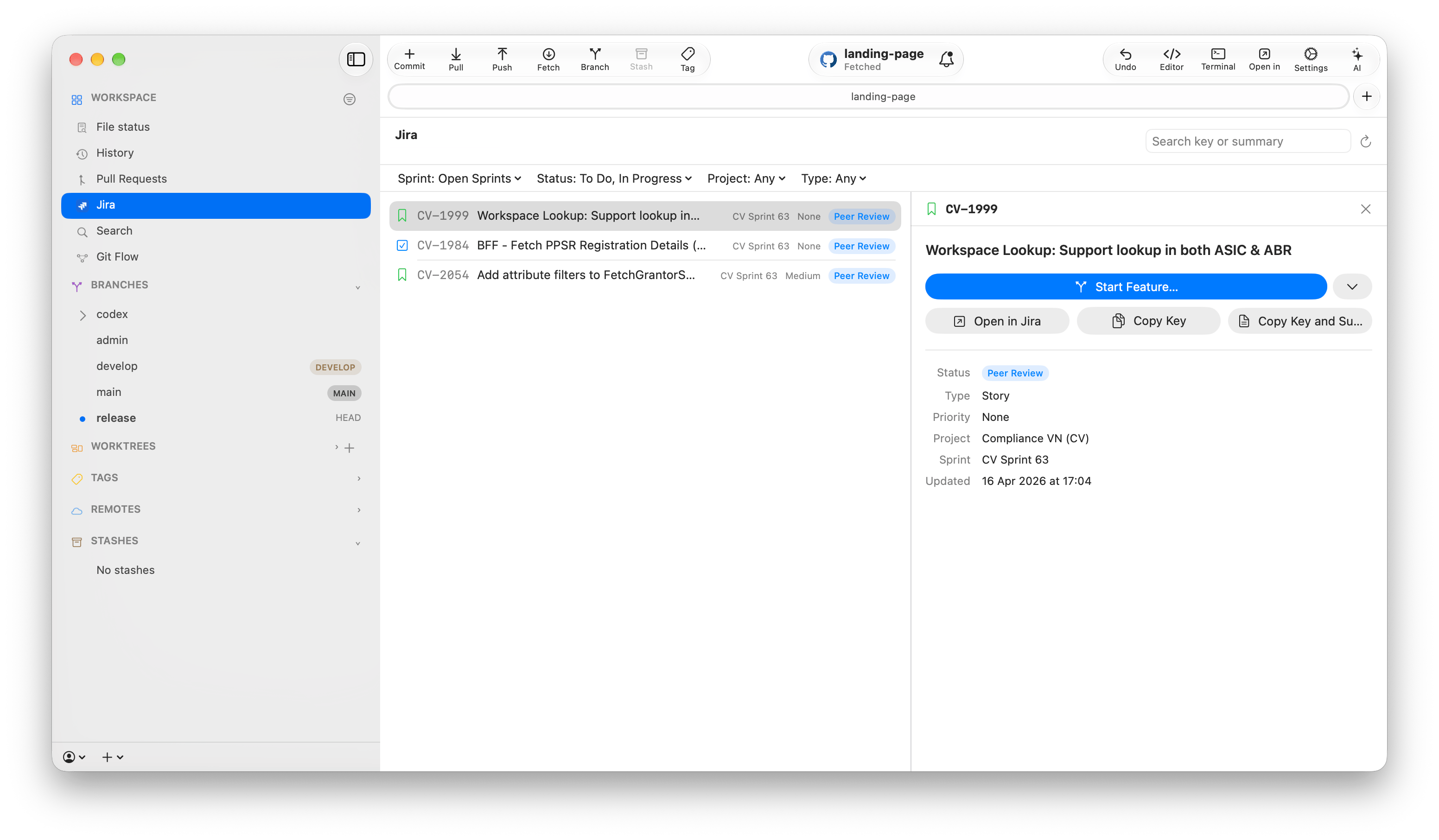
Start a branch from an issue
Click the branch action in the details panel, or use Create Branch in the issue’s context menu. Commit+ suggests a branch name made from the issue key and summary, such asPROJ-123-fix-login-crash.
When Git Flow is set up for the repository, the suggested action starts a Git Flow topic: Start Bugfix… for Bug and Defect issues, and Start Feature… for other types. Use Other Branch Types to start a feature, bugfix, or hotfix topic, or a plain New Branch… instead. Release topics are not offered because they are named after versions. Without Git Flow, the action creates a plain branch.