Find repositories
From Welcome or Choose a Repository in a new tab, switch between Recent and Your Repos. In Your Repos, choose Add Folder to scan selected folders for Git repositories. Multiple roots are supported; Home and filesystem root are rejected. Overlapping roots do not duplicate repositories. Use the plain-list or folder-tree presentation, search, sorting, provider filters, and bookmark filter to narrow the list. These preferences and the catalog are stored locally. Existing bookmark sync keeps its current behavior; scanning does not create cloud bookmarks.Inspect before opening
Choose View on a repository row to show its details. Open opens the repository workspace. Details include repository information, Git object database size, remotes with provider links, and README, Summary, and Statistics tabs. README displays the working-tree README, including uncommitted edits. An empty state appears when no supported README is found. Repository size measures Git objects, excluding working files and build caches; linked worktrees share the common object database. Summary lists the five most recently updated local and remote branches, the five newest tags, and the five latest commits across all refs.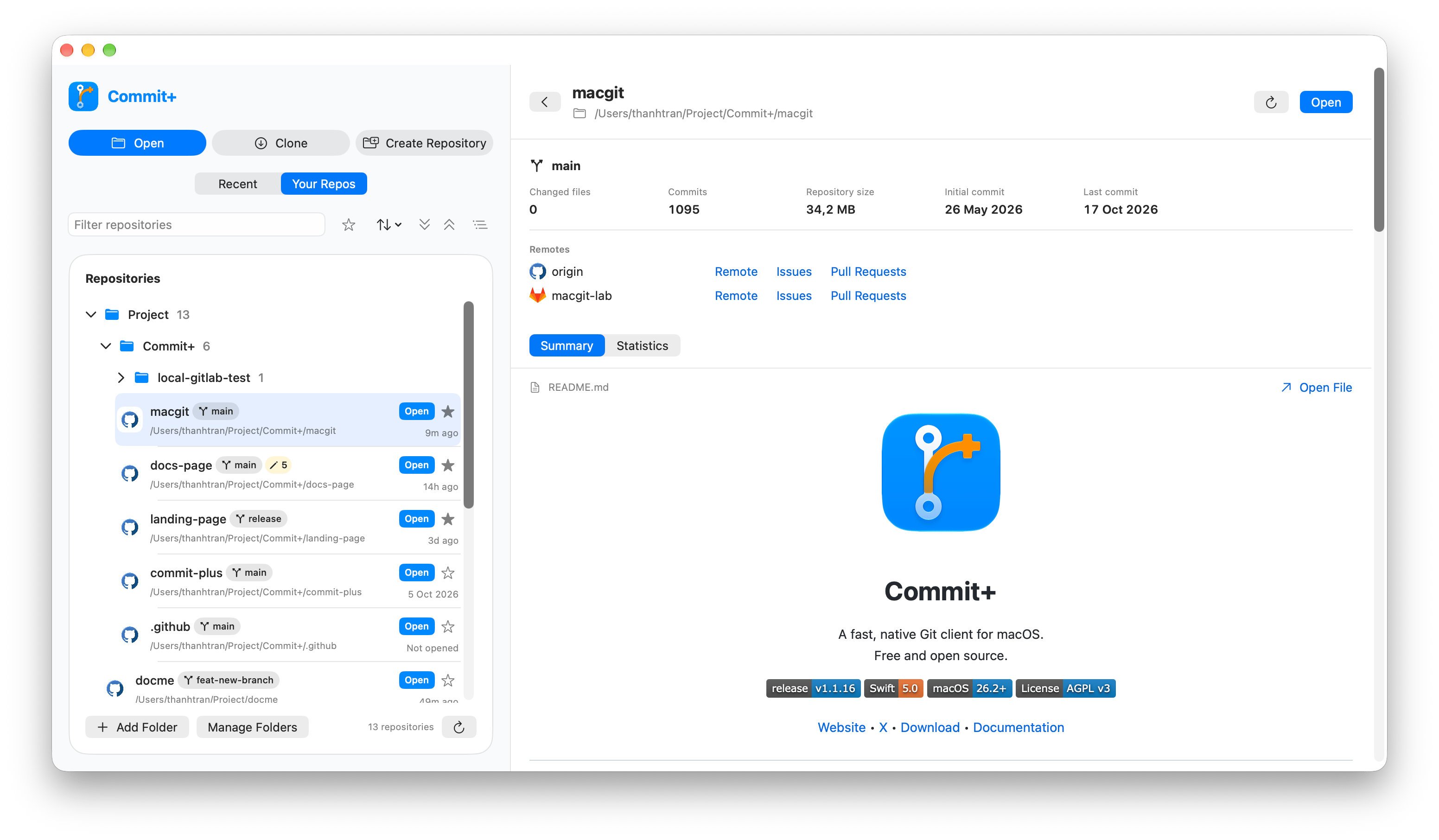
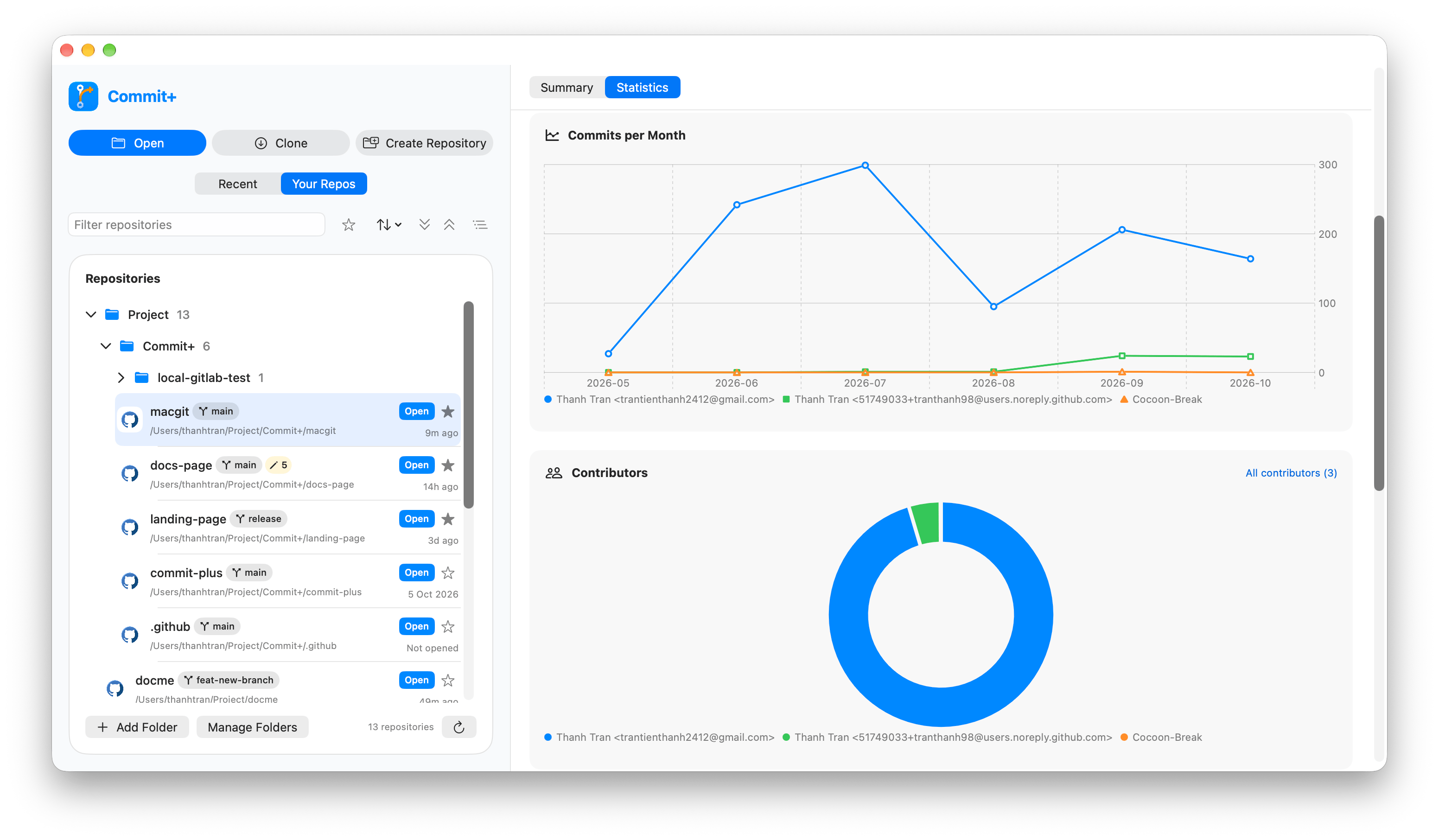
Explore statistics
Open Statistics, select a date range, and inspect commits per month, contributors, weekday, and hour. Open All contributors for the contributor list.