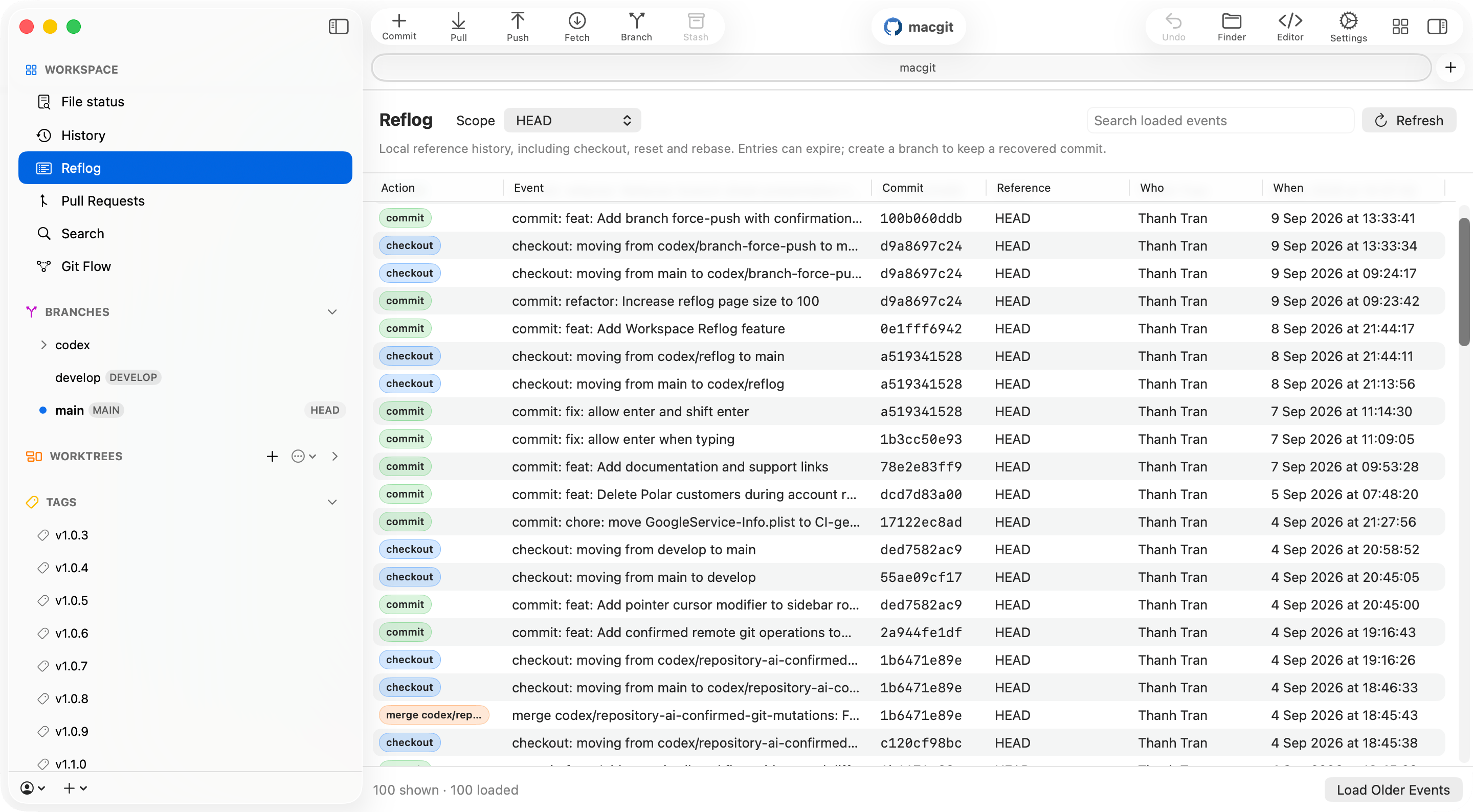
Reflog gives Commit+ a local timeline for where your repository references have been. Open Reflog from the Workspace section to review checkouts, commits, rebases, resets, branch updates, and other reference movements without leaving the app. Commit+ Reflog workspace showing local reference events

Review local reference history

The Reflog workspace reads Git’s local reflog and presents each event with the action, event summary, reference, target commit, actor, and event time. Start with HEAD, or include all references when you need to understand branch movements beyond the current checkout. Loaded entries can be searched in place, refreshed manually, and paged as you move through older events. Commit+ preserves the selected event during refreshes so the detail you are inspecting does not disappear just because the repository state updated.

Inspect an event

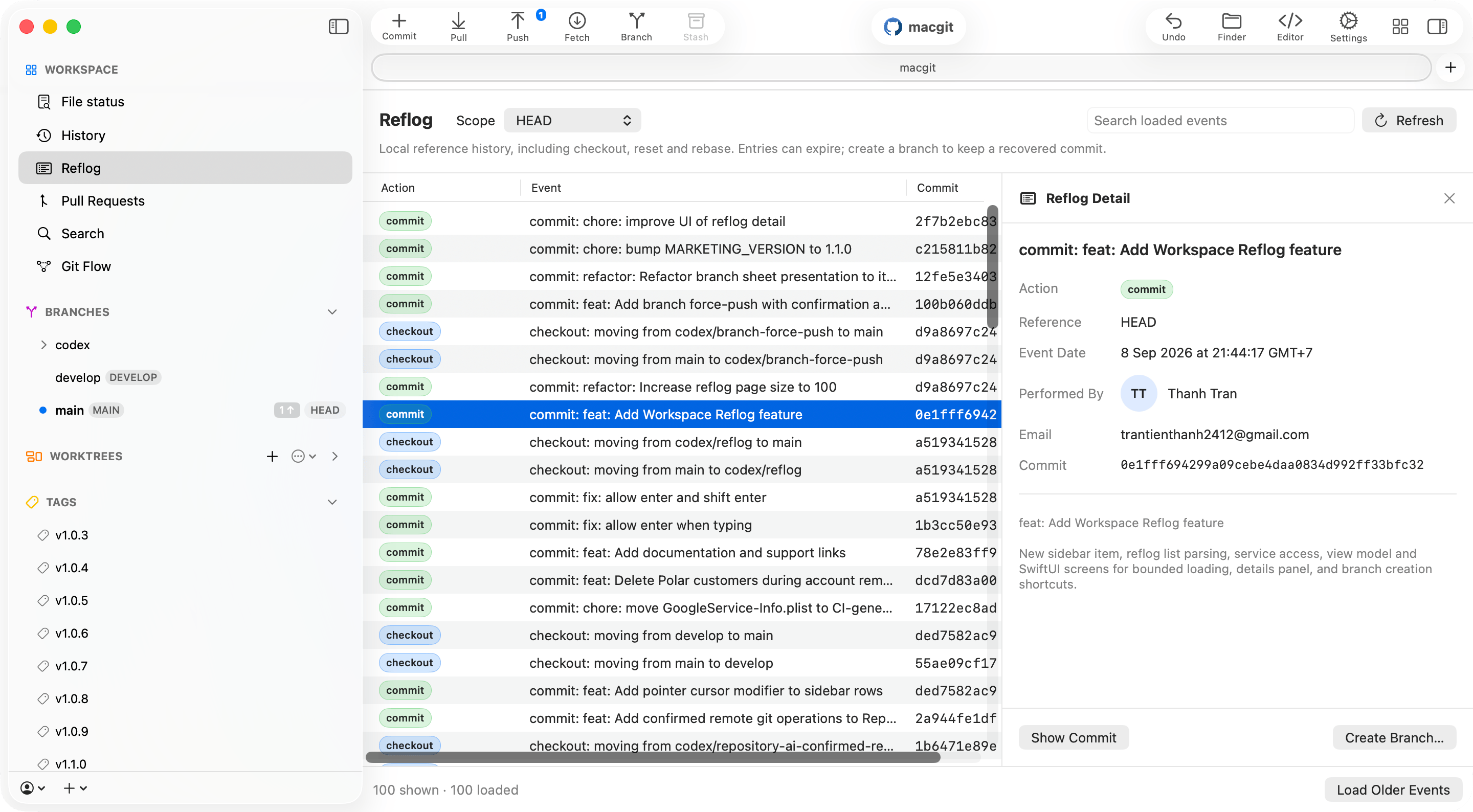
Select an event to open its detail panel. The panel keeps the list visible while showing the full reflog metadata, commit hash, reference, actor, email, date, and message for the selected point in time. Commit+ Reflog detail panel showing event metadata and recovery actions From the detail panel, you can inspect the target commit in History or start recovery by creating a new branch from that immutable commit hash.
Recover without guessing

When a reflog entry points to work you want to revisit, choose the branch recovery action and Commit+ opens the existing create-branch flow using the exact commit hash from the selected event. This keeps recovery explicit: you choose the branch name and confirm the branch creation instead of running a hidden reset.

Local by design

Reflogs are local Git records. They are not synced through remotes, they can expire according to Git’s normal cleanup rules, and their availability depends on the repository on this Mac. Commit+ uses Reflog for inspection and branch-based recovery. It does not expose reflog deletion, and it does not run implicit reset operations from the Reflog view.