Why Commit+
Most Git workflows are still split between three trade-offs:- Command line: powerful, scriptable, and exact, but hard to scan visually.
- Cross-platform desktop clients: convenient, but often heavier than a native macOS app needs to be.
- Polished proprietary clients: pleasant to use, but closed source and paid.
What is available now
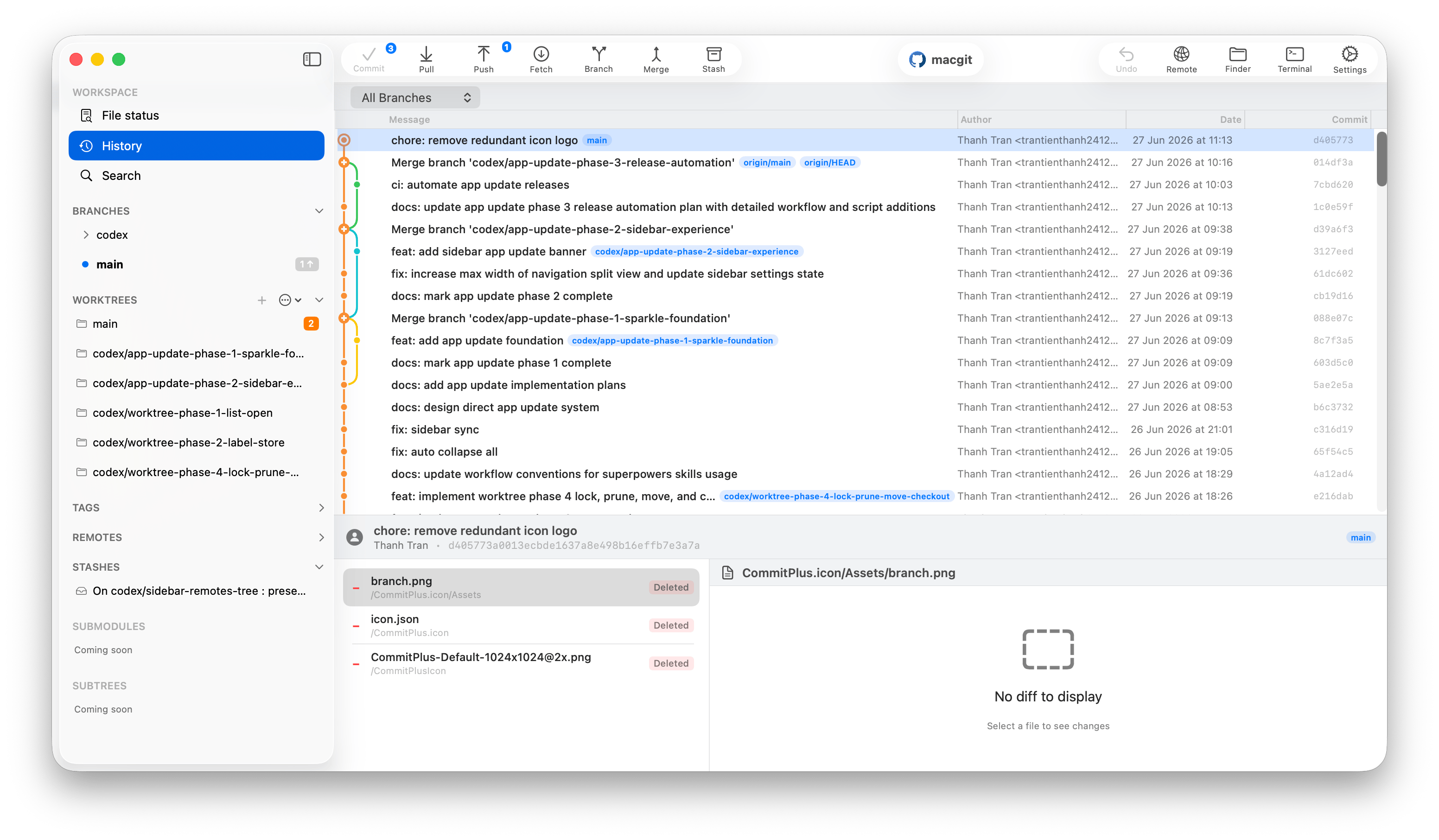
- Stage and unstage files, hunks, and selected lines.
- Commit, branch, merge, rebase, stash, cherry-pick, revert, fetch, pull, and push.
- Browse any commit as a read-only file tree, with text, image, and Git LFS previews.
- Compare branches, revisions, files, and folders without checking anything out.
- Apply or revert selected files, hunks, or lines from an earlier commit into the working tree.
- Set up Git LFS, manage tracking rules, convert files, and download missing objects.
- Undo and redo supported Git actions with Cmd+Z and Cmd+Shift+Z.
- Resolve conflicts in the app with inline conflict markers and per-hunk controls.
- Manage Git worktrees from the sidebar.
- Drag commits for cherry-pick and branch creation, and drag branches for merge or rebase onto the current branch.
- Search commits, files, branches, and tags with a Spotlight-style modal.
Highlight direction
The product focus is not another checklist of ordinary Git commands. Commit+ is being shaped around polished workflow features: revision browsing, visual comparisons, selective change recovery, Git LFS, undo action, drag and drop, AI-assisted writing, and native conflict resolution.Product direction
Some broader ideas in the README and feature pages are product direction rather than a promise that every action is already shipped. Pages in this docs site call out coming-soon behavior when a workflow is still on the roadmap.Zero dependencies
Commit+ keeps the Git client core intentionally small. Repository actions run through the system Git binary, and the UI is native SwiftUI. Sparkle is used only for app updates in direct distribution builds; it does not collect repository data, user data, or analytics.System requirements
- macOS: 26.2 or later
- Xcode: 26.2 or later to build from source
- Git: installed through Xcode Command Line Tools, Homebrew, or another system install
Next steps
- Build and run the app in Installation.
- Review the common commands in Keyboard Shortcuts.
- Prepare an open-source development setup in Local Development.